Old black and white photos are important. They’re personal records. But they don’t last. Sunlight, moisture, even the air slowly wrecks them. The faces blur, the paper yellows, and a tear can ruin everything. Until recently, fixing this was a professional job. You needed expensive software and great skills. Regular people just couldn’t do it.
Now, they can. AI changed everything. The tools are suddenly simple, fast, and shockingly good. You upload a picture. The software analyzes it, fixes scratches, and adds plausible color in seconds. It’s not magic, it’s just very smart technology that’s now available to anyone.
This guide shows you how it works. We’ll look at how you can use these tools to rescue your photos. It’s about taking back control and saving those memories before they’re lost for good.
Renew Photo
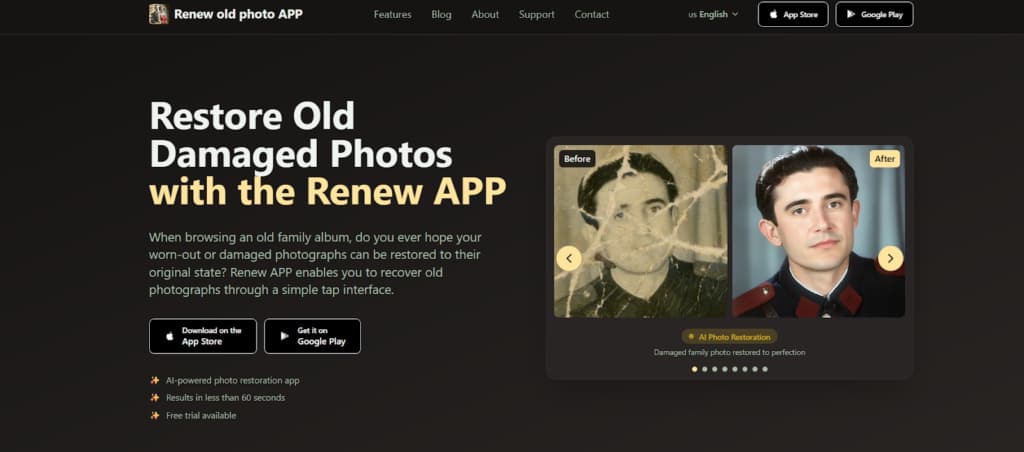
Renew Photo is a mobile app that uses AI to restore your old photographs. It works on images that are torn, scratched, or just faded with time. In under a minute, you can see a damaged photo turn clear and vivid again.
The app is designed to be simple—you basically tap your way through. It doesn’t matter if you’ve never edited a photo before; the process is intuitive. They also make a point of protecting your privacy, so your pictures stay yours alone.
Here’s how to use Renew Photo:
- Download the app. Get it from the App Store or Google Play.
- Choose what to fix. Open the app and pick an option: Colorize, Scratch Removal, HD Enhancement, or Photo Combining.
- Upload your photo. Select the old or damaged photo from your device’s gallery.
- Let the AI work. The app automatically analyzes and repairs the image.
- Preview and adjust. View the before/after result. Use the editing tools for fine-tuning if you want.
- Save your photo. Download the high-quality result to your device or share it.
Key Features
Renew Photo provides a set of AI-powered features designed to fix common photo damage and improve image quality.
The app includes AI photo restoration for one-tap repair of tears, fading, and general wear, along with HD enhancement that sharpens faces, improves background clarity, and restores fine details. Photo colorization automatically adds realistic color to black-and-white images, while scratch and crack removal removes visible surface damage.
For lighting issues, the lighting correction feature adjusts images that are too dark or overexposed. In addition to restoration, Renew Photo includes tools such as photo combining, which merges multiple images into a single composition, and photo animation, which adds subtle motion to still portraits.
All image processing is handled securely, and photos remain private throughout the entire process.
LetsEnhance
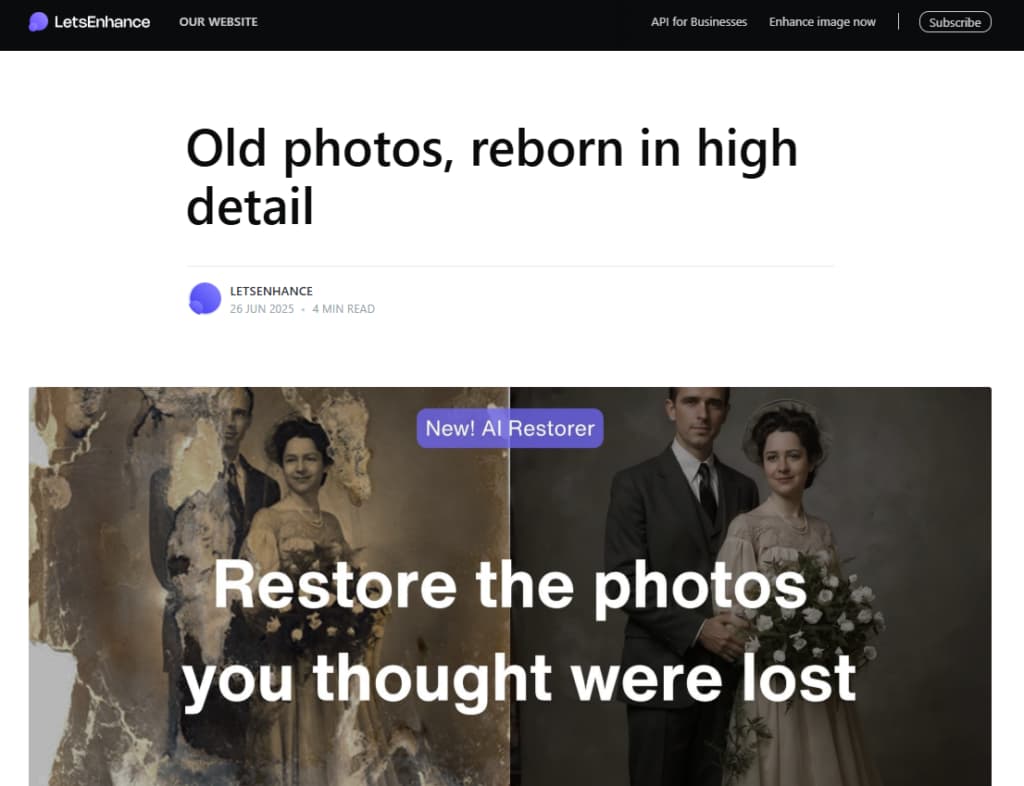
LetsEnhance is a web tool that uses AI to restore, enhance, and upscale images. Its specialized “Old Photo” feature addresses damage, detail loss, and sharpness in historical photos.
Authentic mode helps retain the original aesthetic. The cloud-based system processes multiple images quickly through an easy interface. With fast, professional results, it caters to both personal and commercial users through affordable subscriptions and API availability.
Using LetsEnhance involves these steps:
- Log into the web platform and upload your photo via drag-and-drop, file browser, or cloud import.
- Select the specialized “Old Image” restoration tool.
- Optionally, enable Authentic mode to maintain original colors or disable it for enhanced correction.
- Click “Enhance” for AI processing, which completes in seconds.
- Use the slider to compare results, then download the high-resolution restored photo.
Key Features
LetsEnhance specializes in high-quality image restoration. Its Old Photo AI model works to recover details, sharpen images, and restore color with accuracy relative to the original. A major feature is its Authentic mode, which allows the user to choose between keeping the photo’s original look or applying stronger restoration.
The platform is designed for speed and can process many images at once. It uses cloud-based processing to finish most jobs in seconds. It provides a free trial, low-cost paid plans, and API access for business use, making it a practical choice for individuals and companies.
YouCam

YouCam Enhance is a free, web-based AI tool for fixing old photos. Its main purpose is to add realistic color to black-and-white or faded images with one click. After colorizing, you can apply different filters to adjust the look.
A unique feature is the ability to turn colorized photos into short, animated videos. This combination of simple color restoration and animation makes the tool useful for quickly updating old pictures.
How to Use YouCam Enhance
- Upload Your Photo: Visit the online tool and upload the black-and-white or faded photo you wish to restore.
- Initiate AI Colorization: Click the colorize button. The AI will automatically analyze the image and apply realistic colors to different elements within seconds.
- Review & Customize: Use the editing panel to adjust the result. You can choose from different AI color filters to apply unique color grades and adjust settings like saturation.
- Animate (Optional): For an extra creative touch, use the AI Image to Video feature to transform your newly colorized photo into a short, animated video clip.
- Download: Save your final colorized image or animated video for free in high quality.
Key Features
YouCam Enhance is an AI tool that adds color to black-and-white and faded photos. It works automatically to apply realistic colors. After colorizing, you can use different filters to change the look. A key feature lets you turn those colorized photos into short video clips.
The platform is free, web-based, and designed to be simple for restoring and improving old images.
Conclusion
You really don’t need any special skills to fix old photos now. The AI tools that exist today are genuinely good—and easy to use. You can handle the whole process yourself, from adding color back to a faded picture to repairing physical damage or sharpening a blurry face.
Pick the tool based on what you actually want. Is this a quick five-minute job or a serious restoration project? Using these apps means you’re not just saving a file. You’re keeping the memory that goes with it. The technology is finally here to make sure your important photos stay clear and last.
Two More AI Apps Worth Considering
The tools above cover colorization and basic restoration very well, but there are two additional apps that users often choose when photos require deeper repair or more creative flexibility.
RetroFix
RetroFix is a mobile AI photo restoration app designed for black-and-white and color photos that have suffered noticeable aging and physical damage. It focuses on repairing scratches, faded areas, uneven lighting, and weakened facial details by reconstructing missing information rather than simply enhancing contrast or sharpness.
The app is fully automated and easy to use, making it accessible to anyone. After restoring a photo, users can also animate it, adding subtle motion once the image has been properly repaired. This makes RetroFix especially useful when you want both accurate restoration and a more lifelike final result.
RetroFix is a strong choice when simple colorization tools aren’t enough and the photo needs real structural repair. More information is available at https://retrofix.app.
Yore
Yore blends AI photo restoration with creative reconstruction. It can restore and enhance old photos, but its standout feature is the ability to merge two separate images into a single composition. This is helpful when parts of a photo are missing or when recreating moments that were never originally photographed.
In addition to restoration and photo combining, Yore supports photo animation, allowing users to transform static images into expressive visual memories. The focus is less on technical correction and more on rebuilding stories and connections through images.
Yore is best suited for users who want to go beyond simple colorization and explore more creative ways to revive old photographs. Learn more at https://yoreapp.website.
Final thought:
AI has made restoring black-and-white and faded photos accessible to everyone. Whether you need quick colorization, deeper repair, or creative reconstruction, tools like RetroFix and Yore expand what’s possible—helping preserve not just images, but the memories behind them.