CMS
From TrekBuddy Wiki
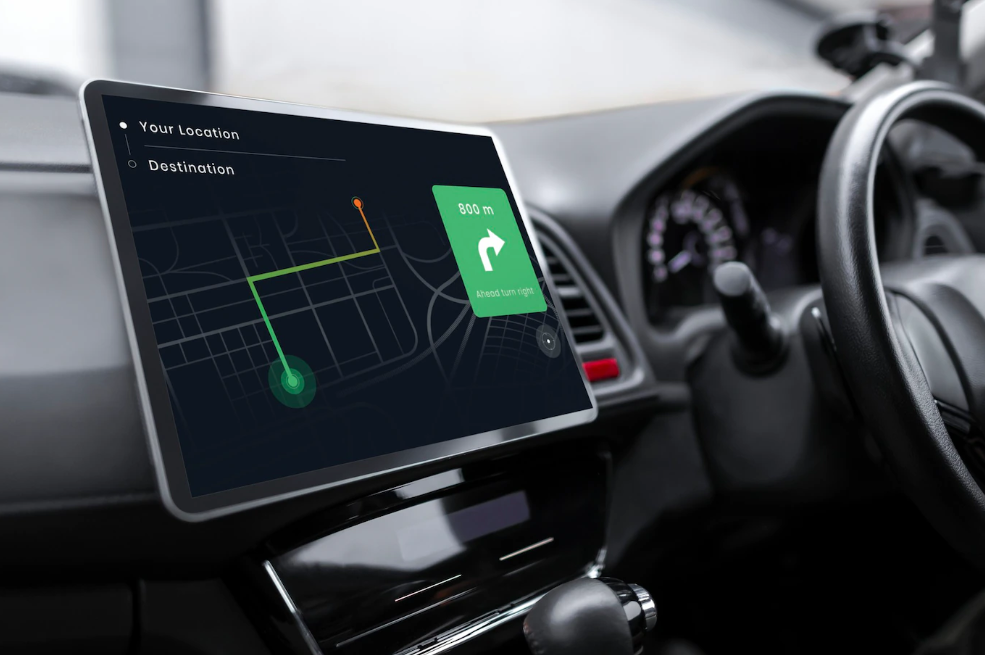
CMS aka Computer Mode Screen or Cockpit Mode Screen is a fully customizable view of GPS data, according to your taste and device. It can be accessed by the # key.
Contents |
Getting CMS themes
Trekbuddy is not supplied with a default CMS theme. You may install multiple CMS profiles at the same time. Its possible to switch between them with the right arrow or 6 (see Using CMS) or have them switched automatically by setting CMS rotate (sec) (see Configuration/Desktop).
To install: unzip your downloaded theme and copy all the .png and .xml files into the DataDir\ui-profiles directory.
See the CMS Gallery for a wide selection of themes.
Users contribute their CMS usually in the themes forum, there you may find one for your device and needs. Log in to the forum, download the CMS file, install it. Shorten your search:
- Very simple theme to start with
- Bike/Car navigation theme
- CMS digiblueram for 240x320 + 240x270 (go to last page)
- Satelite Theme 240×320
- 480x320 Theme for big displays, e.g. Blackberry Bold
- "Simple Theme" for Nokia E70 (352x416 pixels)
- Big Digital Speed MultiColor Theme (240x320) used primarily as a car trip computer. Includes also modified theme for 480x800 screen.
- Bike theme for HTC desire or any 800*480 device
- [wiki editors, please, add more! And have a look at the talk of this page concerning a CMS theme gallery.]
- Note: For those of you who wish to create your own themes, please see this interesting little CMS creator utility here
Technical
Arturo created a GUI (Platforms: Windows XP/Vista/7) helping to create a CMS. Check out the forum thread for CMS Designer.
A CMS is composed of
- one mandatory XML file, containing all instructions about items, placement, colors etc. goes in this very file.
- one optional static background image file. All the variables are shown in the foreground of the image. Hint: If you use a PNG with a palette (so not RGB) and much transparency, the switch between day and night mode affects the color of the image, too, at least if you use only one color.
- an arbitrary amount of image files, each containing one font. A 'font' can also be used to visualize graphic elements like satellite signal strength meters.
XML layout
The XML file name has to start with cms. so for example cms.simple.xml is a working file name whereas mySimple.xml is not.
First you have to define the colors of the CMS - you can make a difference between the night and the day view. Then you define the fonts that you are using and in the next part you start designing your CMS. To show variables you have to define an area where they will be shown. With the {timer} variable and your self-designed fonts the CMS changes every second.
Use {0x1E} or ° with UTF-8 encoding.
Hint: To learn the details, apply some changes in an existing CMS theme to get an idea of how it works. It is quite simple, so playing around 15 minutes does the job.
Example
Save this to a file called cms.simple.xml:
<?xml version="1.0" encoding="UTF-8"?>
<?xml-stylesheet type="text/xsl" href="html.xsl"?>
<cms version="1.0" align="right">
<colors mode="day" bgcolor="FFCC66" fgcolor="000000" nxcolor="880000" pxcolor="550000"/>
<colors mode="night" bgcolor="000000" fgcolor="FFCC66" nxcolor="ffFF00" pxcolor="0066FF"/>
<screen mode="full" w="480" h="600">
<area x="1" y="1" w="480" h="40" align="left">
<value>Time: {time}</value>
</area>
<area x="1" y="41" w="10" h="10" align="left">
<value>{status}</value>
</area>
<area x="11" y="41" w="470" h="40" align="left">
<value>Satellites: {sat}</value>
</area>
<area x="1" y="81" w="480" h="40" align="left">
<value>Distance moved: {dist-t}</value>
</area>
<area x="1" y="121" w="480" h="40" align="left">
<value>Pace: {pace}</value>
</area>
<area x="1" y="161" w="480" h="40" align="left">
<value>Distance to WP: {wpt-dist}</value>
</area>
<area x="1" y="201" w="480" h="40" align="left">
<value>Azi to WP: {wpt-azi}</value>
</area>
<area x="1" y="241" w="480" h="40" align="left">
<value>Course: {course}</value>
</area>
<area x="1" y="281" w="480" h="40" align="left">
<value>Position: {coords}</value>
</area>
</screen>
</cms>
Variables available
As kruch release new versions, he may also release new variables available for CMS programming. This set of variables is according to version 0.9.84b
| variable | description | format |
|---|---|---|
| Position | ||
| coords | current location | see coordinates formats table below |
| lat | actual latitude | see coordinates formats table below |
| lon | actual longitude | see coordinates formats table below |
| alt | actual altitude | 0 [m] |
| time | time of the last fix | hh:mm:ss |
| time-t | total time | hh:mm:ss |
| time-t-auto | total moving time | hh:mm:ss |
| course | current course | 0 [degrees] |
| course.g-sliding | current course, shown in a picture | 360 pixels |
| dist-t | distance travelled | 0000 [km] |
| asc-t | total uphill | 0000 [m] |
| desc-t | total downhill | 0000 [m] |
| Speed | ||
| spd | speed | 0 [km/h], [kn] (nautical) or [mi/h] (imperical) |
| spd-d | dec/acceleration | 0 [m/s²] |
| spd-max | max speed | 0 [km/h], [kn] or [mi/h] |
| spd-avg | average speed | 0 [km/h], [kn] or [mi/h] |
| spd-avg-auto | "auto" average speed (average "moving" speed) | 0 [km/h], [kn] or [mi/h] |
| spd.i | speed (integer part) | 0 [km/h], [kn] or [mi/h] |
| spd.i-max | speed max (integer part) | 0 [km/h], [kn] or [mi/h] |
| spd.i-avg | average speed (integer part) | 0 [km/h], [kn] or [mi/h] |
| spd.i-avg-auto | "auto" average speed (integer part) | 0 [km/h], [kn] or [mi/h] |
| spd.d | speed (decimal part) | 0 [hm/h], [0.1 kn] or [0.1 mi/h] |
| spd.d-max | speed max (decimal part) | 0 [hm/h], [0.1 kn] or [0.1 mi/h] |
| spd.d-avg | average speed (decimal part) | 0 [hm/h], [0.1 kn] or [0.1 mi/h] |
| spd.d-avg-auto | "auto" average speed (decimal part) | 0 [hm/h], [0.1 kn] or [0.1 mi/h] |
| alt-d | vertical speed | 0 [m/s] |
| pace | how long it takes to travel one kilometer or mile at present speed | mm:ss |
| Navigation | ||
| wpt-name | waypoint name | |
| wpt-cmt | waypoint comment / description | f.i. route description |
| wpt-sym | waypoint symbol | 0 1 2 3 4 5 6 7 8 9 space + - . : / ° " ' h k m p s |
| wpt-img | waypoint image | for tour guides |
| wpt-alt | waypoint altitude | 0 [m] |
| wpt-alt-diff | difference between current and waypoint altitude | 0000 [km] |
| wpt-azi | azimuth to wpt | 0 [degrees] |
| wpt-azi.g-sliding | azimuth to wpt, shown in a picture | 360 pixels |
| wpt-dist | distance to wpt | 0 [km] |
| wpt-eta | waypoint estimated time of arrival (based on current speed and direction) | hh:mm:ss |
| wpt-coords | waypoint coordinates | see coordinates formats table below |
| wpt-lat | waypoint's latitude | see coordinates formats table below |
| wpt-lon | waypoint's longitude | see coordinates formats table below |
| wpt-vmg | Velocity Made Good ([1], [2]) | 0 [km/h], [kn] or [mi/h] |
| Satellites information (**) | ||
| sat | number of satellites | 0.....12 |
| fix | fix type | 0 ... 3 |
| dgps | fix quality | 1 - GPS 2 - DGPS |
| snr0..11 | strength of each satellite signal | 0 ... 9 |
| prn0..11 | satellites numbers | 1.....32 |
| satv | number of sats in view | 0.....12 |
| pdop, hdop, vdop | dilution of precision (see Wikipedia) | 0..50 |
| Other | ||
| timer | can be used for animation of CMS | counts from 0 to 9 |
| status | establishing GPS connection no GPS device GPS device but no fix fix | blue dot red dot orange dot green dot |
(**) = some of these variables won't work with internal GPS like in BlackBerry 8800 (for tb v0.9.78), SE C702 ...
Coordinates format
Trekbuddy currently display coordinates in 4 formats (defined in Options -> Basic -> Coordinates)
TODO : to be confirmed
| Coordinates setting | example | description |
|---|---|---|
| Map Lat/Lon | N 179°59'59" | hemisphere (N/S or E/W) followed by degrees-minutes-seconds (seconds can be 59.9 if decimal precision is checked), current map datum |
| Map Grid | N 179°59'59" | depends on current map, can be either spherical (lat/lon) or cartesian (eg. easting/northing) coordinates, current map datum |
| UTM | 9999999N | 7 digits followed by E (easting) or N (northing) |
| Geocaching Lat/Lon | N 179°59.999 | hemisphere followed by degrees-decimal minutes, WGS-84 datum |
Enhancing CMS using HECL scripting/programming
Since version 0.9.84b, it is possible to do some scripting and calculations in CMS, using HECL language. More information on the HECL page and the forum.
Links
CMS-Schemata-TrekBuddy is a German CMS-Guide by MartinZ.